SQL Injection Basics with DVWA

Before completing this lab, ensure you are working in a legal and safe environment. If you haven't already, you can set up your own hacking lab by completing our first tutorial:
Setting Up Your Free Virtual Hacking Environment
Now we are finally moving into one of the most famous web application vulnerabilities ever discovered:
SQL Injection
And honestly, SQL injection completely changed web security forever.
Because for years, developers trusted user input far too much.
And attackers realized they could manipulate database queries directly.
What Is SQL?
SQL stands for:
Structured Query Language
Databases use SQL to:
- store data,
- retrieve data,
- update records,
- manage users,
- and control applications.
Websites constantly interact with databases.
Examples include:
- login systems,
- user accounts,
- search bars,
- comments,
- shopping carts,
- admin dashboards.
SQL powers huge portions of the internet.
What Is SQL Injection?
SQL injection happens when user input gets inserted directly into a database query without proper validation.
That means attackers may manipulate the query itself.
This can sometimes allow:
- authentication bypasses,
- database enumeration,
- data extraction,
- or application compromise.
This is why SQL injection became one of the most dangerous web vulnerabilities in history.
Our Lab Setup
For this tutorial we will use:
- Kali Linux = attacker machine
- DVWA = vulnerable web application
DVWA stands for:
Damn Vulnerable Web Application
DVWA was intentionally built for learning web vulnerabilities safely.
This is exactly where beginners should practice.
Step 1 – Start Kali Linux
Open VMware.
Start your Kali Linux virtual machine.
Log in normally.
Step 2 – Start Apache and MySQL
DVWA requires web services.
Inside the Kali terminal, start Apache:
sudo service apache2 start
Now start MySQL:
sudo service mysql start
Step 3 – Open DVWA
Inside Firefox, navigate to:
http://127.0.0.1/dvwa
If DVWA does not load:
- verify Apache is running,
- verify MySQL is running,
- and verify DVWA is installed.
Step 4 – Log Into DVWA
Default credentials are usually:
Username: admin
Password: password
Log in.
Step 5 – Reset The Database
On the DVWA setup page:
- click:
Create / Reset Database
This initializes the application.
Step 6 – Set Security Level to Low
Inside DVWA:
- click:
DVWA Security
Set security level to:
Low
Save the settings.
This intentionally disables protections for learning purposes.
Step 7 – Open The SQL Injection Module
Inside DVWA:
- click:
SQL Injection
You should now see a user ID input field.
Step 8 – Understand The Vulnerable Query
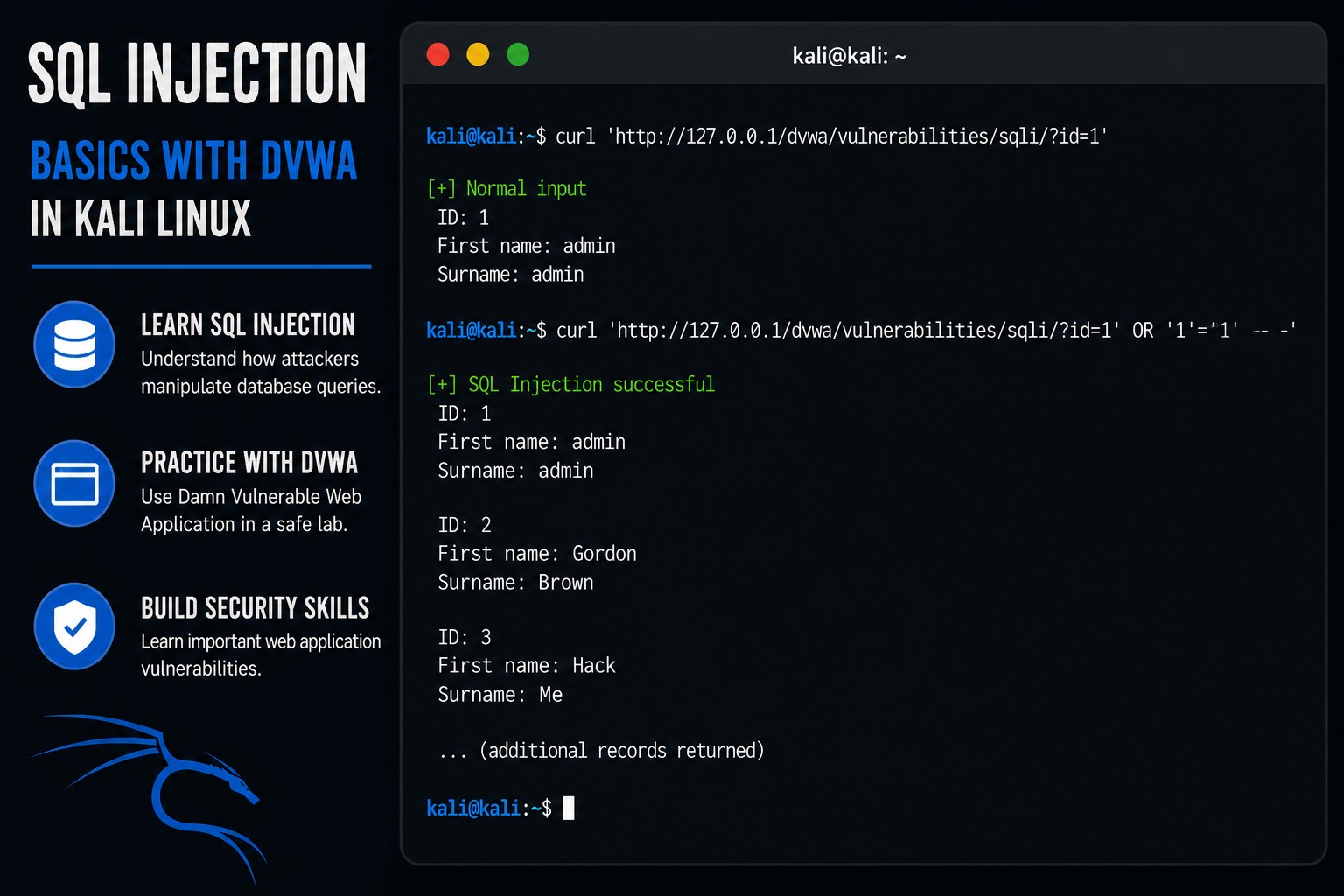
Behind the scenes, the application may run a query similar to this:
SELECT first_name, last_name
FROM users
WHERE user_id = '1';
The application expects a normal number like:
1
But insecure applications sometimes trust input directly.
That is the problem.
Step 9 – Test Normal Input
Enter:
1
Submit the request.
You should see user information returned.
Now try:
2
Different records may appear.
This proves the application is querying a database.
Step 10 – Test A Simple SQL Injection
Now enter:
1' OR '1'='1
Submit the request.
If vulnerable, the application may return multiple records.
What Just Happened?
The original query may now become:
SELECT first_name, last_name
FROM users
WHERE user_id = '1' OR '1'='1';
And:
'1'='1'
is always true.
That changes the logic of the query.
This is the core concept behind SQL injection.
Step 11 – Understand Authentication Bypass
Many old login systems were vulnerable to authentication bypasses.
Example vulnerable query:
SELECT * FROM users
WHERE username = 'admin'
AND password = 'password';
If input is not sanitized properly, attackers may manipulate the logic.
That is why validation matters so much.
Step 12 – Understand Why Input Validation Matters
Applications should:
- sanitize input,
- validate data,
- parameterize queries,
- and avoid trusting user input directly.
Because attackers constantly test applications in unexpected ways.
Step 13 – Use Single Quotes Carefully
Single quotes are extremely important in SQL injection testing.
Example:
'
Sometimes a single quote alone causes:
- SQL errors,
- syntax problems,
- or application failures.
Those errors may reveal:
- database types,
- query structure,
- or vulnerable code.
Step 14 – Observe Error Messages
Try entering:
'
Submit the request.
Some applications may display database errors.
This is called:
Error-Based Information Leakage
Verbose errors are dangerous because they expose internal information.
Step 15 – Understand Database Enumeration
Attackers often try to discover:
- table names,
- column names,
- database versions,
- and application structure.
Enumeration is a massive part of web testing.
But beginners should first understand:
- how queries work,
- how input changes behavior,
- and why insecure coding creates problems.
Step 16 – Open Burp Suite
Now open Burp Suite.
Launch it:
burpsuite
Intercept the SQL injection request.
This helps visualize:
- GET requests,
- parameters,
- cookies,
- and responses.
Step 17 – Observe The Request
Inside Burp, you may see something like:
GET /dvwa/vulnerabilities/sqli/?id=1&Submit=Submit HTTP/1.1
Notice this part:
id=1
That parameter becomes the injection point.
Step 18 – Modify The Request
Now modify:
id=1
to:
id=1' OR '1'='1
Forward the request.
Observe the response.
This demonstrates:
- request manipulation,
- insecure input handling,
- and application trust failures.
Step 19 – Understand Prepared Statements
Modern applications should use:
Prepared Statements
Prepared statements separate:
- SQL logic,
- from user input.
This prevents attackers from changing query structure.
This is one of the most important SQL injection defenses.
Step 20 – Understand Why SQL Injection Was So Dangerous
Historically, SQL injection caused:
- massive breaches,
- stolen databases,
- leaked credentials,
- compromised customer data,
- and destroyed trust.
Because insecure coding practices were extremely common.
And honestly, many developers still struggle with secure input handling today.
Step 21 – Common Beginner Mistakes
Thinking SQL Injection Is “Magic”
It is not magic.
It is logic manipulation.
Memorizing Payloads Without Understanding Them
Understand:
- how queries work,
- how input changes logic,
- and why validation matters.
Ignoring Error Messages
Errors often reveal critical information.
Assuming Modern Applications Are Automatically Safe
Modern frameworks help.
But insecure code still creates vulnerabilities constantly.
Step 22 – Useful Beginner SQL Injection Payloads
Basic test
'
Always true condition
' OR '1'='1
Numeric example
1 OR 1=1
Comment example
' --
Understanding the logic matters more than memorizing payloads.
Step 23 – Why SQL Injection Matters
SQL injection teaches critical concepts:
- databases,
- authentication,
- input validation,
- web application logic,
- query structure,
- and trust boundaries.
And honestly, this is one of the most important beginner web security topics.
Because it teaches:
- how applications fail,
- why secure coding matters,
- and why user input should never be trusted blindly.
Closing Thoughts
SQL injection became one of the most famous web vulnerabilities for a reason.
It exposed how dangerous insecure application logic could become.
And while modern frameworks improved security significantly, insecure coding still causes serious problems today.
The real lesson is not:
- “how to inject SQL.”
The real lesson is understanding:
- why validation matters,
- why parameterized queries matter,
- and why trusting user input is dangerous.
In the next tutorials, we will continue exploring Kali Linux tools, web application vulnerabilities, authentication testing, and penetration testing concepts inside our hacking lab.
Please Subscribe to keep up with future tutorials, and always feel free to contact me or leave a comment below.