Web Directory Enumeration with Gobuster in Kali Linux

Before completing this lab, ensure you are working in a legal and safe environment. If you haven't already, you can set up your own hacking lab by completing our first tutorial:
Setting Up Your Free Virtual Hacking Environment
Now we are moving deeper into:
Web Application Enumeration
And honestly, this is where hacking starts becoming very real.
A huge percentage of modern hacking involves web applications.
Websites. Admin panels. Login forms. Dashboards. APIs. Uploads. Databases.
And one of the first things attackers look for is:
Hidden Content
That means:
- hidden folders,
- hidden login pages,
- backup files,
- forgotten admin panels,
- uploads directories,
- development portals,
- exposed configuration files.
This process is called:
Directory Enumeration
And one of the most popular tools for this in Kali Linux is:
Gobuster
Gobuster is fast, lightweight, simple, and extremely useful.
What Gobuster Actually Does
Gobuster takes a wordlist and starts requesting possible paths from a web server.
For example:
/admin
/login
/uploads
/dashboard
/backup
If the server responds successfully, Gobuster tells us the path exists.
This matters because developers constantly leave sensitive content exposed.
And honestly, organizations forget about old files and folders constantly.
Our Lab Setup
We will use:
- Kali Linux = attacker machine
- Metasploitable = target machine
Metasploitable contains intentionally vulnerable services and web applications that are perfect for learning enumeration.
Step 1 – Start Both Virtual Machines
Open VMware.
Start:
- Kali Linux
- Metasploitable
Wait for both to fully boot.
Log into Metasploitable with:
Username: msfadmin
Password: msfadmin
Step 2 – Find The Metasploitable IP Address
Inside Metasploitable, run:
ifconfig
Look for the network interface IP address.
You will usually see something similar to:
192.168.x.x
Example:
192.168.182.130
Write this IP down.
Step 3 – Verify Connectivity from Kali
Open the Kali terminal.
Ping the target:
ping TARGET-IP
Example:
ping 192.168.182.130
If you receive replies, the machines can communicate.
Press:
CTRL + C
to stop the ping.
Step 4 – Verify the Web Server Is Running
Open Firefox inside Kali Linux.
Navigate to:
http://TARGET-IP
Example:
http://192.168.182.130
You should see the Metasploitable web page.
That means the target web server is active.
Step 5 – Check If Gobuster Is Installed
Gobuster is usually included in Kali.
Verify by running:
gobuster
If you see usage information, it is installed.
If not, install it:
sudo apt update
sudo apt install gobuster
Step 6 – Understanding Wordlists
Gobuster relies on wordlists.
A wordlist is simply a large collection of possible filenames and directory names.
Examples:
admin
login
uploads
images
backup
dashboard
Gobuster tests those words against the target website.
Kali includes several useful wordlists.
A common directory wordlist is located here:
/usr/share/wordlists/dirb/common.txt
Verify it exists:
ls /usr/share/wordlists/dirb/
You should see:
common.txt
Step 7 – Run Your First Gobuster Scan
Now let’s scan the target website.
Run:
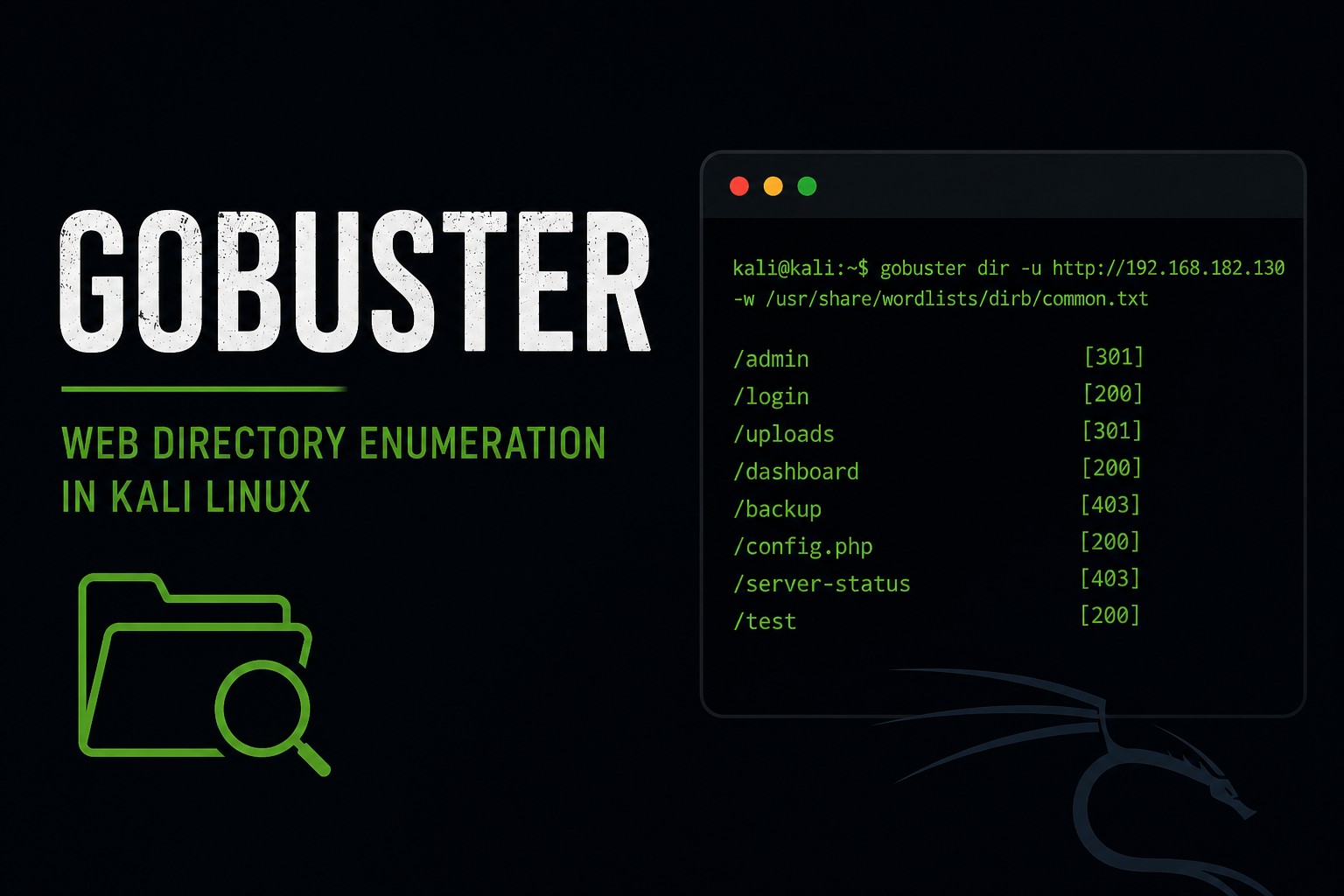
gobuster dir -u http://TARGET-IP -w /usr/share/wordlists/dirb/common.txt
Example:
gobuster dir -u http://192.168.182.130 -w /usr/share/wordlists/dirb/common.txt
Let’s break this down:
| Option | Meaning |
|---|---|
dir | directory enumeration mode |
-u | target URL |
-w | wordlist |
Gobuster will now begin testing directories.
Step 8 – Understanding The Results
You may start seeing results like:
/admin
/cgi-bin
/phpmyadmin
/test
Each result means the server responded positively to that path.
This is extremely important information.
Because hidden directories often contain:
- admin portals,
- vulnerable applications,
- uploads,
- backups,
- development tools,
- exposed services.
Step 9 – Visit The Discovered Directories
Copy one of the discovered paths into Firefox.
Example:
http://192.168.182.130/phpmyadmin
Or:
http://192.168.182.130/test
Some pages may:
- load successfully,
- show login portals,
- reveal software,
- expose files,
- or return errors.
Even error messages can leak useful information.
Step 10 – Understanding HTTP Status Codes
Gobuster responses are heavily based on HTTP status codes.
Common ones include:
| Status Code | Meaning |
|---|---|
| 200 | Success |
| 301 | Redirect |
| 302 | Temporary redirect |
| 403 | Forbidden |
| 404 | Not found |
Important lesson:
A 403 is still interesting.
If a directory returns:
403 Forbidden
that means:
- the directory exists,
- but access is denied.
That still reveals information.
Step 11 – Show Only Certain Status Codes
You can filter results.
Example:
gobuster dir -u http://TARGET-IP -w /usr/share/wordlists/dirb/common.txt -s 200,301,302,403
This tells Gobuster to display only those response codes.
Cleaner output helps a lot on larger scans.
Step 12 – Add File Extensions
Web servers often contain files like:
.php
.txt
.bak
.old
Gobuster can search for those too.
Example:
gobuster dir -u http://TARGET-IP -w /usr/share/wordlists/dirb/common.txt -x php,txt,bak
This tells Gobuster to try extensions like:
admin.php
backup.txt
config.bak
This is where enumeration starts getting powerful.
Because developers leave backup files exposed constantly.
Step 13 – Save Your Results
Professional testers document everything.
Save output:
gobuster dir -u http://TARGET-IP -w /usr/share/wordlists/dirb/common.txt -o gobuster-results.txt
Example:
gobuster dir -u http://192.168.182.130 -w /usr/share/wordlists/dirb/common.txt -o gobuster-results.txt
Now view the file:
cat gobuster-results.txt
Or:
less gobuster-results.txt
Step 14 – Increase Threads
Gobuster uses threads for speed.
Default threading is usually fine for labs.
But you can increase it:
gobuster dir -u http://TARGET-IP -w /usr/share/wordlists/dirb/common.txt -t 50
Higher thread counts increase speed.
But aggressive threading against real systems can:
- overload servers,
- trigger alerts,
- create noisy traffic.
Step 15 – Enumerating Specific Applications
Some applications use common paths.
Examples:
| Application | Common Paths |
|---|---|
| WordPress | /wp-admin |
| phpMyAdmin | /phpmyadmin |
| Joomla | /administrator |
| Laravel | /admin |
| Apache | /server-status |
Experienced attackers recognize these patterns immediately.
That is why enumeration experience matters so much.
Step 16 – Understanding Attack Surface
Gobuster teaches an important concept:
Attack Surface
Every exposed:
- page,
- file,
- portal,
- API,
- upload form,
- admin panel,
- or backup
…becomes part of the attack surface.
The larger the attack surface, the larger the potential risk.
A lot of compromises happen because organizations expose things they forgot existed.
Step 17 – Common Beginner Mistakes
Using Tiny Wordlists
Small wordlists miss things.
Larger wordlists find more content.
But larger lists also take longer.
Ignoring 403 Responses
A forbidden page still tells you something exists.
Not Checking Redirects
Redirects often point toward login pages or admin panels.
Assuming Enumeration Is Boring
This is a beginner mistake.
Reconnaissance is where professionals spend huge amounts of time.
Because information matters.
Step 18 – Useful Gobuster Commands
Basic directory scan
gobuster dir -u http://TARGET-IP -w /usr/share/wordlists/dirb/common.txt
Add extensions
gobuster dir -u http://TARGET-IP -w /usr/share/wordlists/dirb/common.txt -x php,txt,bak
Save results
gobuster dir -u http://TARGET-IP -w /usr/share/wordlists/dirb/common.txt -o results.txt
Show specific status codes
gobuster dir -u http://TARGET-IP -w /usr/share/wordlists/dirb/common.txt -s 200,301,302,403
Increase threads
gobuster dir -u http://TARGET-IP -w /usr/share/wordlists/dirb/common.txt -t 50
Step 19 – Why Gobuster Matters
Gobuster teaches several critical cybersecurity skills:
- Web enumeration
- HTTP responses
- Hidden content discovery
- Attack surface analysis
- Reconnaissance methodology
- Documentation
- Wordlist usage
And honestly, enumeration is one of the biggest differences between beginners and experienced testers.
Beginners rush into exploitation.
Professionals gather information first.
Closing Thoughts
Gobuster is one of the simplest but most useful tools in Kali Linux.
And the crazy part is:
Even basic directory enumeration regularly finds sensitive content on real systems.
Because developers forget things. Admins leave backups exposed. Applications get misconfigured. Old portals stay online.
That is why reconnaissance matters so much.
In the next tutorials, we will continue exploring Kali Linux tools, web application testing, service enumeration, and penetration testing concepts inside our hacking lab.
Please Subscribe to keep up with future tutorials, and always feel free to contact me or leave a comment below.